There are more VoIP apps every year, and they all work on the same simple principle: client programs connect to a server that relays the audio between them. Mumble is one of the best of them, alongside Ventrilo and Teamspeak – though it has a number of advantages over both, which we will get to shortly. So why use a voice server at all? Mumble, Ventrilo, and TeamSpeak all let a group of people talk at the same time, walkie-talkie style. Friends use them to hang out, companies use them for long meetings and discussions, and gamers use them constantly: nothing beats being able to call out plays to your team in real time. And for a business, having every employee reachable by voice is hard to argue with.

Let us look at Teamspeak and Ventrilo more closely, to see what Mumble does better. Ventrilo is a commercial server, and not one everybody can get to: you cannot install it on your own host, you can only rent one from a Ventrilo reseller. Its selling points are good sound and a simple interface. That said, some users run into audio delay, and it scales with ping – the higher a client's ping, the worse the lag gets, sometimes badly enough that there is no fixing it. Ventrilo also sticks to fairly basic features and does a poor job of suppressing echo, which regularly gets in the way of a conversation.
Now for Teamspeak, another widely used option. There is no permanent connection – the microphone opens either on noise threshold or on a key press – and because the mic is not always live, the first word or syllable often gets clipped while the app spins up. It is also showing its age: the voice codecs have not been updated in years, so call quality is not what it should be. And it has one serious flaw: the mic reacts to any sound at all, so a dog barking outside can open your channel. That is not easy to work around either, since simply lowering the sensitivity means you have to shout into the mic before the app registers you at all.  The free, cross-platform VoIP app Mumble has a number of clear advantages. It is open source, so you can adapt it to whatever you need. Each player's voice volume can follow their character's position in the world – just pick the plugin for your game in the Mumble settings under the "Plugins" tab. For clan wars this feature is worth a lot on its own. Players will also appreciate that Mumble shows each participant's nickname with their avatar beside it. Add encrypted audio, very light demands on your PC and your connection, and the option to talk one-to-one or to a group – none of which the main competitors offer. Mumble also uses certificates to identify you on the network: a certificate is effectively your passport as a client, and troublemakers get banned not just by IP but by certificate. This is one of Mumble's biggest wins over the competition, because it means nobody can clone or steal your nickname. Channel linking and interface minimising round out the list. Fans of World of Warcraft, Ragnarok, Lineage 2, Age of Conan, Aion, and Counter-Strike will get the most out of positional audio, the low latency, the customisable client look, and in-game avatars. And of course the client itself is free – you only pay for the server.
  Mumble uses access tokens instead of ordinary channel passwords. Each user carries their own list of tokens for the channels they are allowed into, and never has to know which key opens which door. That means Mumble users never type a password to enter a channel, the way Teamspeak and Ventrilo require. Reinstall Mumble and your token list survives, so you keep access to your channels.
 Administration in Mumble runs through SuperUser – the root administrator account, which cannot be deleted. Even if someone removes your admin rights, you can log in as SuperUser and restore them. Mumble is also highly configurable: it has proper microphone tuning and voice activation that triggers on speech rather than on any noise, unlike Teamspeak. All of that matters a great deal in a business call.
 To start talking, though, you need a server – which is where V4GAME comes in. We work exclusively with Mumble and offer some of the most affordable rental prices around. Paying is easy and works however suits you: payment, crediting, and server activation all happen automatically. Once you buy your slots the server is created and activated in seconds.
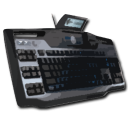 Why do we work with Mumble specifically? Because it is simply the best of the voice apps. Mumble beats Teamspeak and Ventrilo on call quality and echo cancellation, and it ships with a built-in, customisable overlay plus Direct3D support. Against Teamspeak in particular it wins on voice activation sensitivity and native support for the Logitech G15, a popular gaming keyboard.
 The biggest single difference between Mumble and its rivals is SSL encryption, which keeps everything you say private – something that matters enormously in a business negotiation. Data travels over its own dedicated transport and is encrypted at four levels using different algorithms. Traffic in Mumble is tunnelled, with separate incoming and outgoing channels encrypted with different keys, so eavesdropping on it is effectively impossible.
So what do you actually need to use Mumble comfortably? Headphones, a microphone, the client, an internet or LAN connection, and a server from v4game. On top of the lowest prices and automatic activation, you get excellent call quality here: ping stays very low and performance stays high, because we run this on powerful dedicated hardware. Starting and restarting your Mumble server, editing its name, password, and welcome message, managing your balance, choosing a plan – all of it is automated, which makes Mumble far easier to live with. Support is available by email and, naturally, over Mumble itself. You will also find plenty of guides here – written and video walkthroughs for running and administering Mumble.
Pick Mumble for your voice chat and you will not regret it for a minute, whether you are a gamer, a professional, or just someone who likes good company.